APP START
The site is immediately in context.
Enrollment, connectivity to Control and Beam, and access to mobile tests are combined in one compact interface.
 MeilleurControl
Beam Companion for iOS
Beam Companion brings AP, client, and service evidence to the iPhone. Field engineers test the site where the issue occurs and hand the results directly to NOC & Control.
Mobile Operations
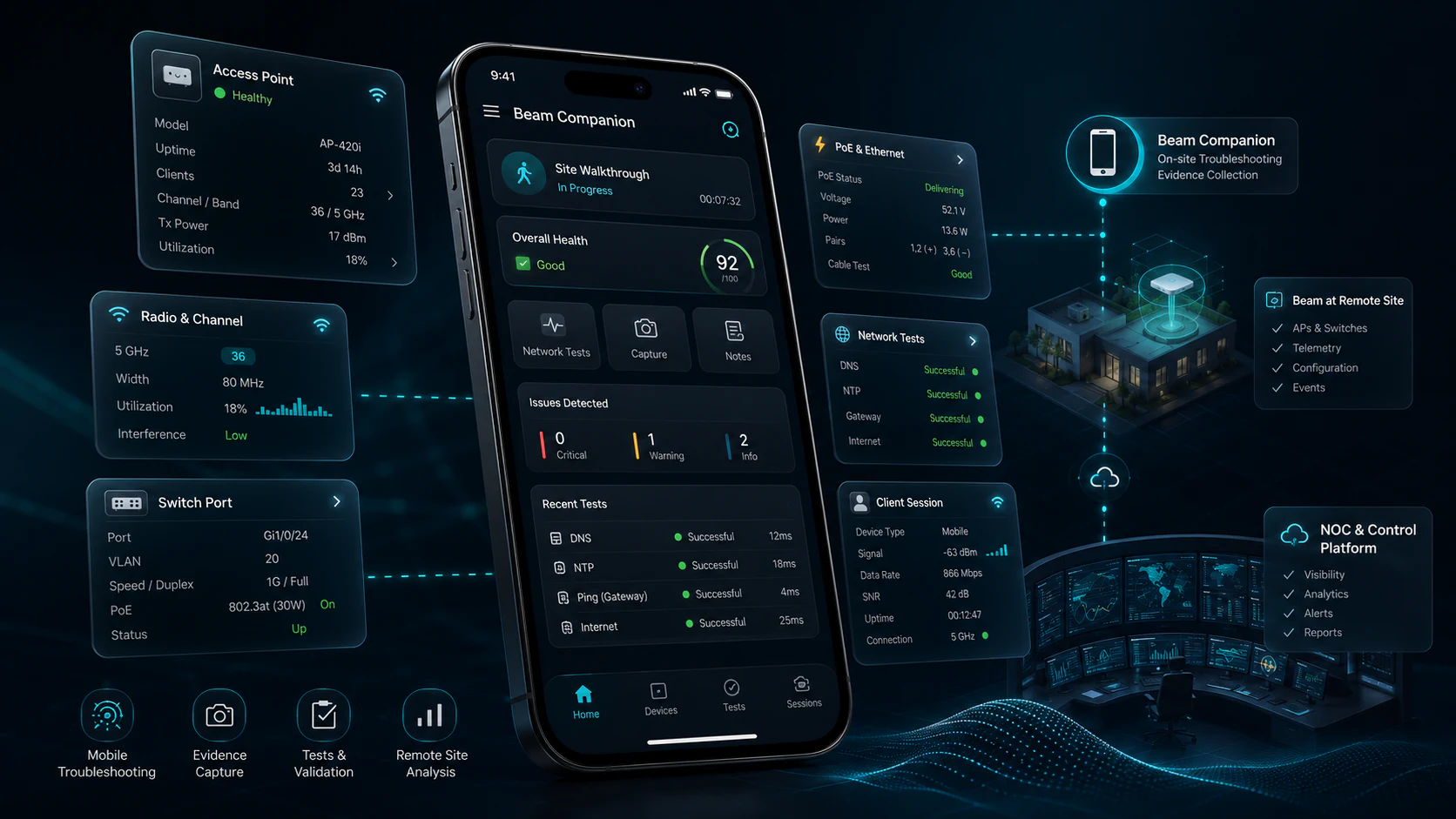
The app guides engineers from enrollment and site status to access points, clients, and tests. A few clear steps deliver results in the same technical context used by Control.
Enrollment, connectivity to Control and Beam, and access to mobile tests are combined in one compact interface.
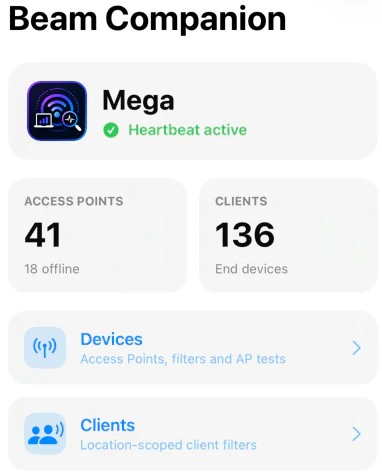
The engineer can immediately see whether the site is connected, how many access points and clients are available, and where to begin the next test.
Field Evidence
On-site checks use the same technical language as the central platform: status, scope, metrics, response times, and evidence. The NOC receives a traceable finding instead of an ambiguous verbal report.
AP Evidence
Two views tell one technical story: first the access point, then its radio and Ethernet connectivity.
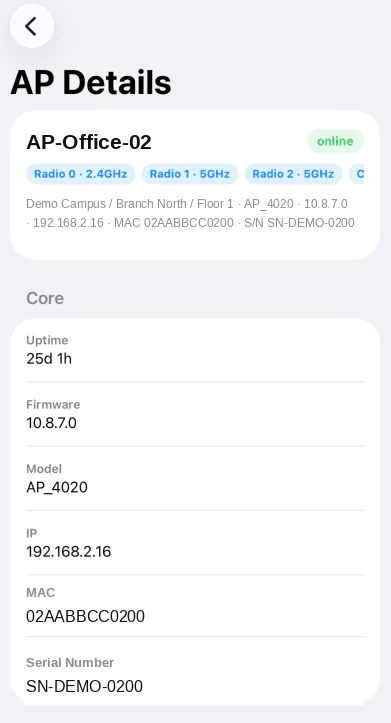
Status, model, firmware, uptime, management IP, MAC address, and serial number establish the technical baseline for the investigation.
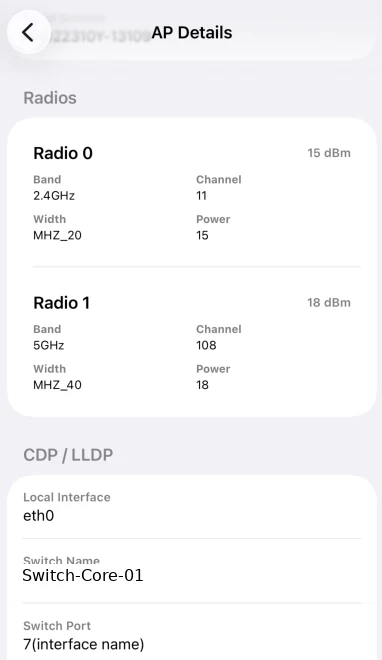
Band, channel, width, transmit power, local interface, switch name, and port show how the access point is actually connected.
Service Checks
The app combines infrastructure state with service responses, revealing whether the issue originates at the link, PoE, DNS, NTP, or further along the network path.
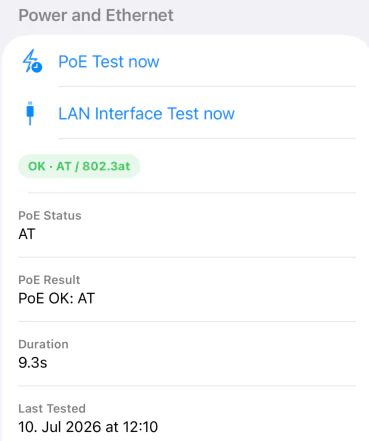
Power delivery, link state, speed, duplex, and local Ethernet connectivity are validated directly at the affected access point.
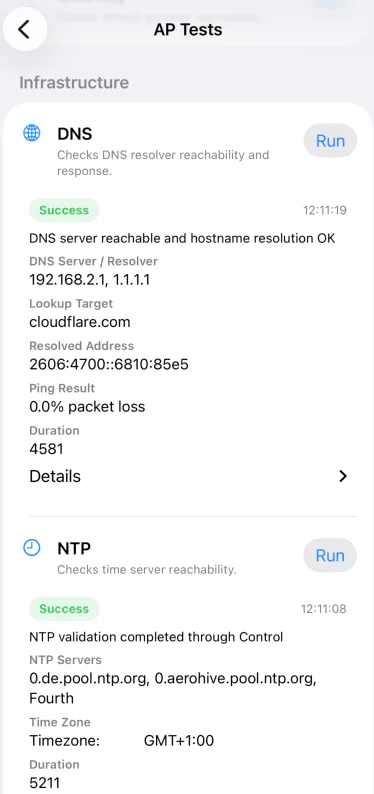
Resolver, lookup target, response, packet loss, runtime, NTP server, and time zone provide far more than a simple green or red status.
Client Evidence
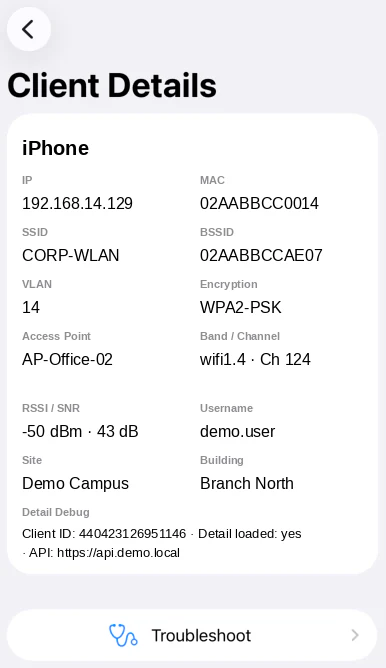
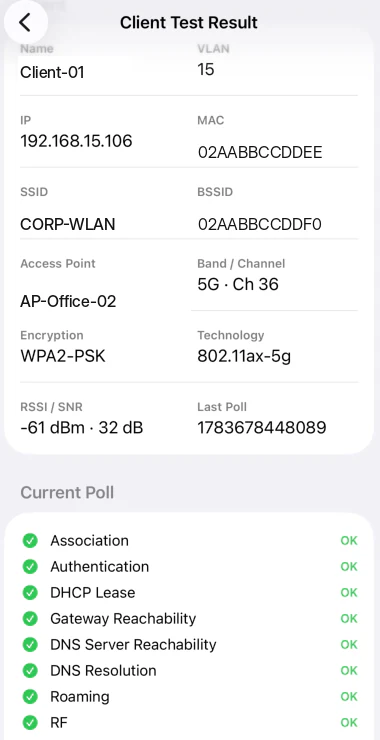
Client details combine IP, MAC, SSID, VLAN, access point, band, channel, RSSI, and SNR. The client test brings association, authentication, DHCP, gateway, DNS, roaming, and RF into one result.
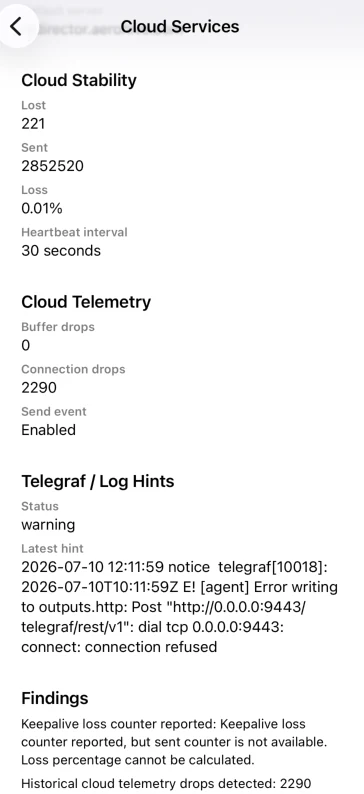
One shared workflow
Companion is not an isolated app. Field results extend the same evidence used in the Control workspace, Monitor, and reports.