Only what requires attention.
Warning, critical, and failed states are reduced to the findings that actually require action.
 MeilleurControl
Technical handoff
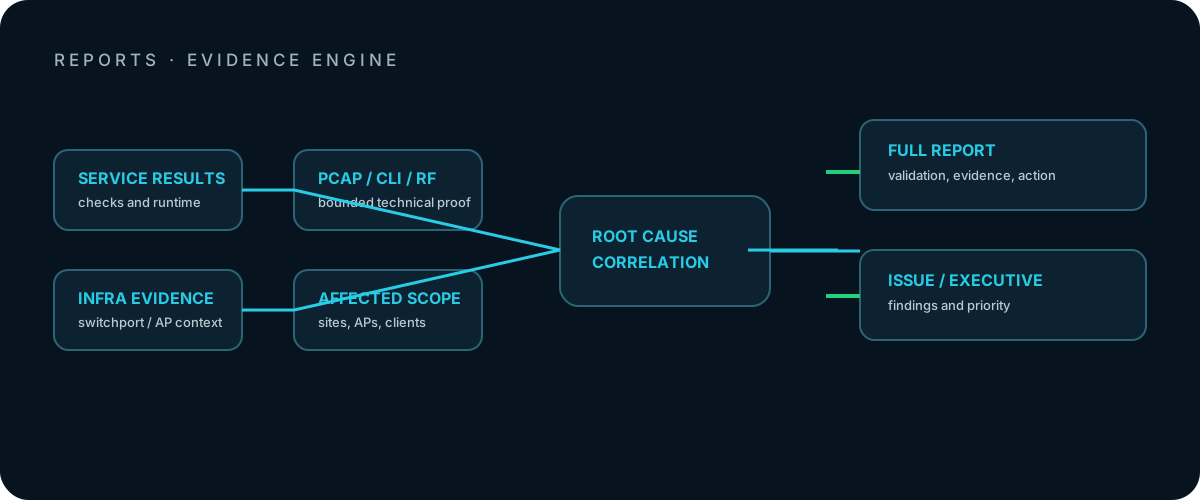
A useful report does more than record that something was red. It shows what was tested, which infrastructure was affected, what technical evidence exists, and what should happen next.
Full report
The full report documents selected services, runtimes, results, infrastructure context, and evidence. The executive summary and technical detail remain in the same document.
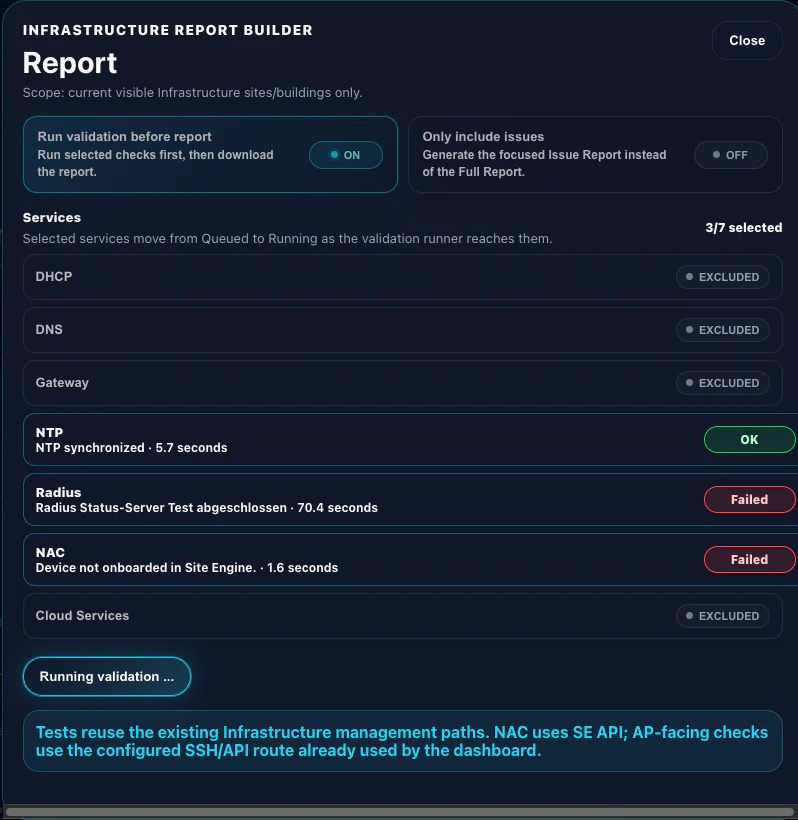
Warning, critical, and failed states are reduced to the findings that actually require action.
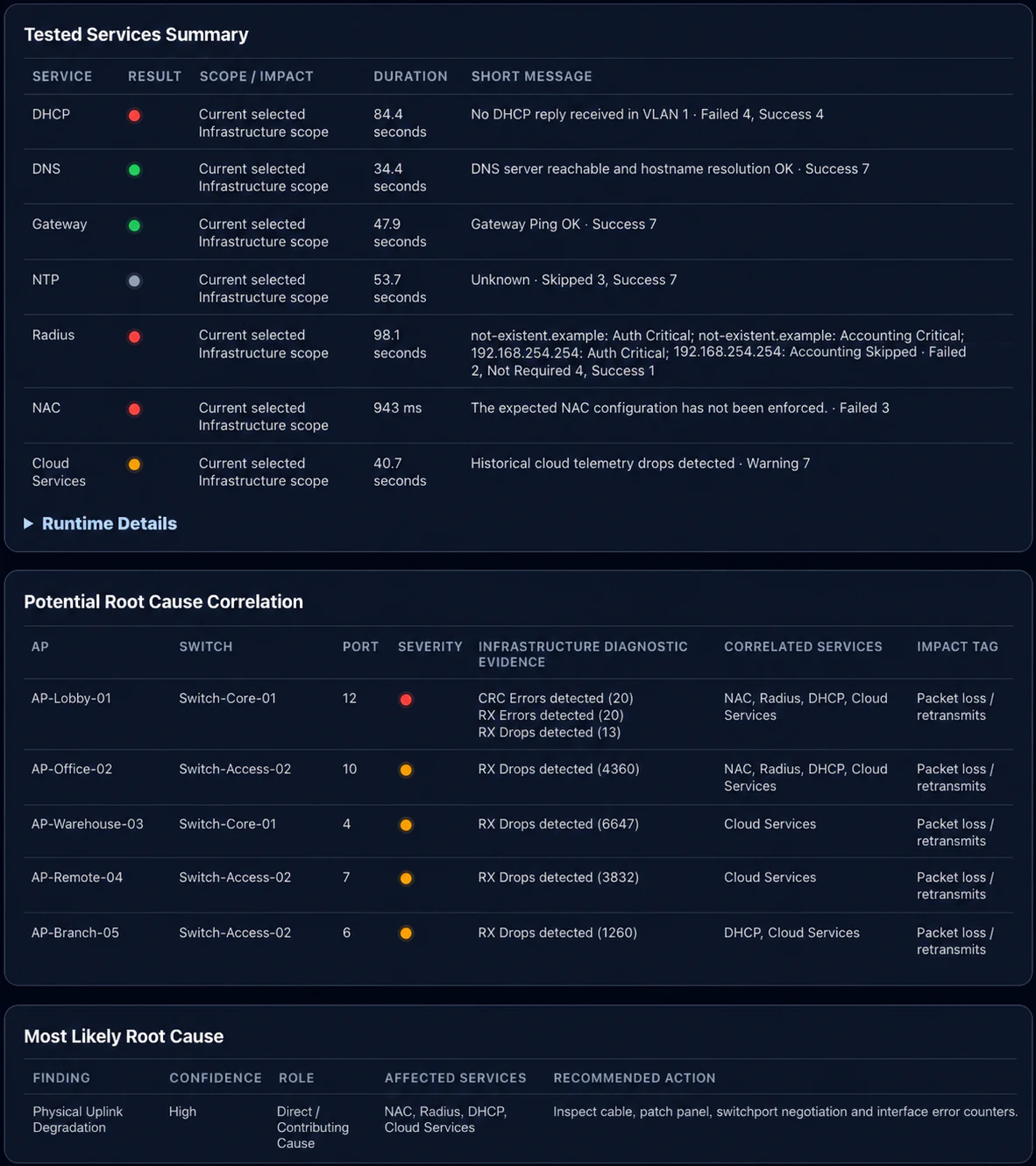
DHCP failures, cloud drops, and unstable RADIUS can all share the same damaged uplink or switch port as their common cause.
Stored monitor samples and reports show which services, APs, clients, or infrastructure components were abnormal during the incident.
Technical handoff
Affected infrastructure, severity, evidence, the most likely cause, and the recommended action can be transferred directly into a ticket, review, or management summary.